Nas Storage Device.

Netgear - Overview
Take a glance at the NETGEAR ReadyNAS NV+, and you’ll see a small, elegant, but simplistic chassis that can proudly be displayed in any room in your home. Lift up the chrome handle on the back, and you’ll see how solidly built this little box is. Swing open the hidden front door and you see four drive trays, each of them sliding out to reveal your disk. Close the door, and you notice it shuts tightly back to the body. A press of the power button and the box comes to life with the LCD lighting up behind the mirror, welcoming you to the ReadyNAS World


That my friend is just the surface. Find out what’s really inside the ReadyNAS NV+ and why it is without a doubt the most versatile NAS on the market today.
The importance of protected storage
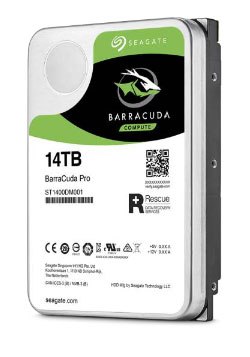
With the need for storage rising with the explosion in digital content, the need for protected storage becomes more important. A simple disk failure can mean a loss of up to 1TB of data. And as anyone who has encountered a disk failure, it’s not a matter of if but when. Your whole family history captured on photos and videos can be lost at an instance. Your small business can lose important documents and customer data and at the very least cost the company with project delays, loss revenue and productivity.
The ReadyNAS NV+ provides up to 3 terabytes worth of protected storage through RAID. If you are familiar with RAID (”Redundant Array of Independent Disks”), if one disk fails, the data from the failed disk can be resurrected by the parity information kept on the surviving disks. Simply, this means that if one disk fails, your data is still intact.
NV+ comes with X-RAID
The NV+ goes actually a step further than just RAID. It uses an ingenious patent-pending technology developed by NETGEAR called X-RAID. With X-RAID, you can expand your data volume from one disk all the up to four disks while the ReadyNAS is serving up files. Not only that, once you’re near capacity with the 4-disk data volume, you can replace each disk one-by-one with larger disks, and your volume capacity grows vertically — all the while your data is still intact. And best of all, you data volume can keep growing every time larger disks become available. No other NAS in its class has this type of future-proofing concept, period.
So now that you’re convinced you need X-RAID, let’s take a look at what you can do with the NV+.
NV+ in the home
With the number of computers in an average household approaching four or more, the need to consolidate storage and backup into one device, like the ReadyNAS NV+, is a definite appeal, especially if that device can provide versatility beyond just file sharing and data protection.
In the home, the ReadyNAS NV+ is without a doubt the choice of the AV community. Not only does the NV+ provides ample protected storage for all the digital media content, it can be used to stream to all popular media streaming devices, often referred to as DMAs (”Digital Media Adapters”) without the need to have you PC or Mac powered on. The trend definitely is to use low power-consuming devices like the ReadyNAS (more on this later) in place of general-purpose power-hungry desktop systems for streaming.
This means devices like PS3, XBOX 360, Logitech Squeezebox, SONOS Digital Music System, and NETGEAR’s own EVA 8000 Digital Entertainer HD can all play media files straight from the NV+.

With the built-in BitTorrent client that allows you to queue downloads at night-time or when you’re at work, the ReadyNAS NV+ can be happily downloading your media content for your DMAs while your PC is available for other functions.
And instead of cluttering the house with a printer for each computer, you can use the built-in print sharing capability of the NV+ to share your printer(s) on your network. There’s no need to purchase a ton of expensive ink cartridges when you can now consolidate your printing to one or two printers. Just connect your printer to one of three USB ports on the NV+, and you’re set to go.
NV+ at work
The NV+ comes with 3 security levels suitable for environments ranging from a very small office environment where you may want to give everyone equal access to shares with or without password, to a slightly larger environment where you may want to restrict access to shares on a user or group-level basis, and even more-so into a larger workgroup or enterprise environment where integration into a domain authentication and active directory support is required.
In addition to the various security options, the NV+ comes with snapshot support. Consider a snapshot as an instant point-in-time image of your data, sort of like a photo taken with a camera. Regardless of the number of files or the volume of data on the ReadyNAS, a snapshot only takes a couple of seconds, and you can continue using the ReadyNAS as usual during the snapshot process. If you inadvertantly change or delete files or folders after you’ve taken a snapshot, you can always revert to the version saved in that snapshot. This can be useful if your files were infected with a virus and you needed to revert back to a good copy saved at midnight.
A snapshot can also be scheduled to coincide with your backups. Typical backups can take hours, so a backup of a snapshot insures that you’re making a backup of something that won’t be changing during the backup process.
On the subject of backup, the ReadyNAS comes with a built-in backup manager supporting a variety of file protocols, including CIFS, NFS, HTTP, FTP, and RSYNC. And because the backup manager runs right on the ReadyNAS, you don’t need a separate backup client running during the time of the backup.
It’s no wonder the ReadyNAS is well-suited in business environments. In fact, you can take a look at several case studies on how the ReadyNAS is used in small businesses here.
NV+ perfect for both Home and Work
As you can see, the ReadyNAS NV+ is equally useful in both Home
and Office environments. It’s no wonder PC World awarded the NV+
8th in the
Top 100
Product of 2007.
Features
The ReadyNAS NV+ feature set is driven by the common RAIDiator firmware that is used across all ReadyNAS products. RAIDiator provides a myriad of features not found in other network storage devices in its class. Let’s go through some of the prominent ones.
Auto-Expandable X-RAID
There’s really no need to understand RAID on a ReadyNAS. The NV+ comes pre-configured with X-RAID, NETGEAR’s exclusive patent-pending expandable RAID technology. With X-RAID, there’s no RAID management — it’s all automatic!
For instance, let’s say you started out with one disk and you treat the ReadyNAS as secondary storage for backups. If one day, you want to make the ReadyNAS a primary storage, it’s prudent to make the storage protected. To do this, you simply secure a 2nd disk with 4 screws to the hot-swappable disk tray and insert the tray while the system is still running (you can do this while the system is powered off if you want). Your data on the first disk will automatically mirror to the 2nd disk in the background while the ReadyNAS is still available for access on your network.
Now if you’re close to reaching the capacity on your ReadyNAS, just add another disk, similar to how you add the 2nd disk, and your volume expands on the fly, giving twice the original capacity. And again, if you add a 4th disk, your ReadyNAS will triple in capacity, all while maintaining protection from a disk failure.
That’s not all with X-RAID. If you find that you’re close to capacity on the four disks, just replace each disk one by one, allowing it to sync along the way, and when the 4th disk is replaced, just reboot the ReadyNAS to expand the data volume to the capacity of the four new disks.
Media Server
The ReadyNAS can stream music, video, and photos to just about any popular network-capable media streaming device without the need to turn on your PC or Mac. Just drag & drop your media files to the ReadyNAS and play them on your streaming device, whether it’s a Playstation 3, XBOX 360, NETGEAR’s own EVA 8000, or pretty much any DLNA-compliant device.